
IPTV EPG Explained
What the Electronic Program Guide actually is, why it matters, and how to make the most of it in your IPTV app.
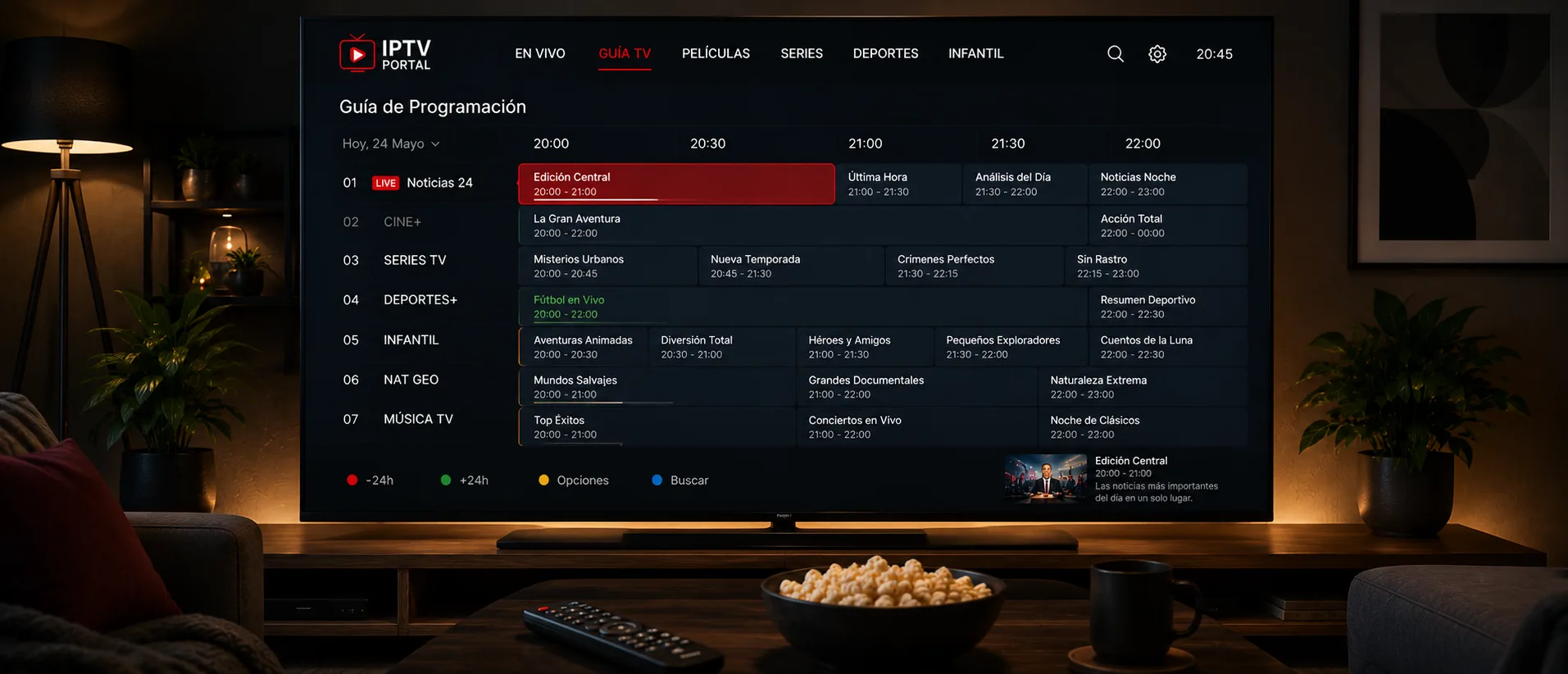
What EPG stands for
EPG means Electronic Program Guide — the on-screen grid showing what's currently airing on each channel and what's coming up next, arranged by time slot. It's the same concept as the guide you'd get from a cable or satellite box, just delivered alongside your IPTV stream.
Why it's more than a nice-to-have
Without an EPG, an IPTV app is just a flat list of channel names — you'd have to switch to each one to see what's playing. With EPG data loaded, you can browse by time, set reminders for upcoming shows in apps that support it, and get a much clearer sense of what's actually on right now across hundreds of channels.
How EPG data reaches your app
EPG listings are usually supplied as a separate data feed (commonly an XMLTV file) alongside your channel playlist. Most IPTV apps load this automatically once you enter your account details; if your guide shows up blank, check your app's settings for an EPG URL field — some setups require it to be entered separately from the channel list.
Getting the most from your guide
Favoriting channels you watch regularly, in apps that support it, keeps your most-used listings at the top of the guide instead of buried in a long alphabetical list. It's a small habit that makes a large channel lineup far easier to navigate day to day.
If the Guide Shows the Wrong Time
If the times are consistently off by the same number of hours, the guide and your clock are using different time references. Check the app for a time zone or offset option, then confirm that your TV or streaming device has the correct time zone and automatic date and time turned on. Restart the app after changing either setting.
If your settings are correct and the times are still wrong, the guide data may use a different reference. Note the channel names and the times you see, and report them to your provider, since they control the guide source.